
Your business, modeled visually.
Customers, products, orders, contracts, incidents — whatever your business handles. Integrafy-OS creates tables, REST/GraphQL endpoints and validations automatically. No SQL, no DBA, no redoing migrations.
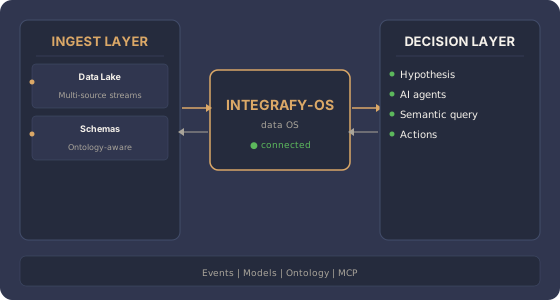
What makes up a model?
Objects
The entities your business recognizes: Customer, Product, Order. Each object with its attributes (name, tax ID, price) and validations.
Relationships
How objects connect to each other. An Order belongs to a Customer, contains Lines, is fulfilled from a Warehouse. With their own attributes if needed.
Actions
What your team can do on objects: create, modify, cancel, approve, export. Each action with granular role-based authorization.
Validations
Strong types (email, IBAN, tax ID), ranges (stock ≥ 0), regex patterns, references to other objects. Inconsistent data doesn't even enter the system.
Automatic endpoints
Every object has REST and GraphQL APIs generated out of the box. Authentication, pagination, filters, sorting. Ready to consume from any app.
Business hooks
Functions that run before/after create, update or delete. Enrichment, notifications, integrations with external systems.
From object to API: example in 30 seconds
You define a Customer object with fields tax_id,
name, pricing and a relationship to Company.
You click "Publish".
Integrafy-OS automatically generates:
GET /api/customers,POST /api/customers,PUT /api/customers/:id- GraphQL schema with queries and mutations
- Tax ID validation (ES/EU/international format)
- Indexes in the lake for fast queries
- Updated ontology — the AI already knows what a Customer is
Frequently asked questions about Models
Who models the business: IT or the business user?
Both can. Visual modeling is designed so that business users (operations leads, product owners) can define the objects they handle every day. IT can refine with advanced types, constraints and technical validations if needed.
What objects come out of the box?
Templates for industrial B2B: Customer, Company, Product, Variant, Pricing, Order, Delivery Note, Invoice, Incident, Return. They adapt to your specific fields without redoing the model.
Are APIs generated automatically?
Yes. Every object exposes automatic REST and GraphQL endpoints (list, get, create, update, delete) with authentication, rate limiting and role-based authorization. If you need custom logic, you can override with your own functions.
What happens if I change the model once it's in production?
The lake keeps schema versioning: historical data retains its original schema and new data uses the updated one. Queries apply automatic coercion where possible, and warn where not.
Can I define N-to-N relationships with their own attributes?
Yes. Relationships can have their own attributes (e.g. last purchase date, applied pricing). Modeling isn't limited to simple 1-to-N relationships — it supports the graphs your business needs.
How long does IT take to add a new field to the ERP?
Visual modeling demo in 30 minutes.